Your Revenue Is Growing, So Why Is Your Payout Smaller? The Rolling Reserve Reality for High-Risk Merchants

Few things are more confusing than a strong sales month followed by a payout that looks as though it took a detour and misplaced part of itself.

The payments are real. Customers checked out. Revenue is climbing. Yet the amount landing in your business account is smaller than expected. For many high-risk merchants, the explanation is a rolling reserve.

A rolling reserve is not a mysterious punishment button that payment providers press for fun. It is an agreed portion of processed funds that an acquirer or processor temporarily holds to cover possible refunds, chargebacks, fraud losses, or other payment obligations.

It is common in industries with higher dispute risk, delayed delivery, subscriptions, or fast-changing transaction patterns.

Still, if a merchant does not understand how it works, a reserve can make cash-flow planning feel like trying to assemble furniture without the instruction sheet.

What a Rolling Reserve Actually Means

Let’s say a processor holds 10% of each day’s card sales for 90 days. If your business processes $100,000 this month, $10,000 may be held in reserve while the remaining amount is paid out according to your settlement schedule.

After the agreed period, the older withheld funds may begin to release, provided there are no outstanding losses or disputes that need to be covered.

The percentage, release period, and conditions vary. Some businesses may have a fixed reserve amount. Others may have a rolling reserve based on sales volume. The important part is that the money is usually not gone forever. It is simply temporarily unavailable.

That “temporarily,” of course, can feel very long when supplier invoices are staring at you.

Why Processors Use Reserves

Payment providers take on risk when they process transactions for merchants. If customers later request refunds or file chargebacks, the processor may need funds available to cover those claims.

Reserves are more likely where a business has:

  • A high average transaction value
  • Subscription or recurring billing
  • Long delivery or fulfillment times
  • A new processing history
  • Higher-than-average refund or dispute exposure
  • A business model that sits in a higher-risk category

This does not automatically mean a business is unreliable. It means the payment provider is managing the possibility that future customer claims could arrive after funds have already been paid out.

Read the Reserve Terms Before You Need Them

The reserve clause should never be treated like the terms nobody reads until the Wi-Fi stops working.

Before accepting a processing agreement, ask clear questions:

  • What percentage of funds will be held?
  • Is the reserve fixed, capped, or rolling?
  • How long will funds be retained?
  • When and how are reserve funds released?
  • Can the reserve percentage change?
  • What happens if the processing relationship ends?

A contract may say a reserve is held for 90, 180, or even more days after a transaction or termination. That detail can have a major impact on your ability to pay suppliers, fund marketing, or manage payroll.

Build Reserves Into Your Cash-Flow Forecast

The smartest move is to forecast using the amount you can actually access, not the total amount you processed.

If 10% is held back, treat that amount as unavailable until the release date. It may be tempting to count every successful payment as spendable cash, but that is how a healthy-looking revenue dashboard can create an unhealthy surprise.

Merchants working with PayIT123 can explore payment-processing options that suit their business model, including the practical questions around settlement timing and reserve structures. The earlier these conversations happen, the fewer shocks appear later.

A Reserve Is a Signal to Stay Organized

A reserve is not ideal, but it can encourage stronger payment habits. Monitor refunds and chargebacks, keep customer communication clear, use recognizable billing descriptors, and avoid sudden unexplained spikes in transactions.

A consistent operating record may also support a future review of reserve terms. Payment providers prefer predictability. In payments, boring is often a compliment.


Final Thoughts

Growing revenue is exciting, but accessible cash is what keeps the business engine humming.

A rolling reserve does not have to derail that progress. Once you understand the percentage, release schedule, and effect on your working capital, you can plan around it instead of being surprised by it.

#RollingReserve #HighRiskMerchants #PaymentProcessing #CashFlowManagement #MerchantServices #PayIT123
The Script You Forgot Could Be Stealing Your Checkout: A Plain-English Guide to Payment Page Integrity

Your checkout page may look calm, polished, and perfectly harmless. The product photos are crisp, the buttons behave, and customers can move from cart to payment without a hiccup.

However, behind that tidy little page can be a crowd of invisible helpers: analytics tags, chat widgets, marketing pixels, cookie tools, review plugins, payment scripts, and code added by someone who left the company two years ago.

Most of them are there for a good reason. The trouble begins when nobody knows exactly what they do, who approved them, or whether they still belong anywhere near a page where customers enter payment details.

That is where payment page integrity comes in. It sounds like something that should wear glasses and carry a clipboard, but the idea is simple: know what is running on your checkout page and make sure nothing changes without your knowledge.

Why Checkout Pages Are a Prime Target

A checkout page is valuable real estate. It is where customers enter card details, contact information, and other sensitive data. Unfortunately, attackers know this too.

One compromised plugin, altered script, or third-party tool can create a pathway for information to be copied or redirected without obvious signs. The customer may complete the purchase as usual. The merchant may see a successful payment. Meanwhile, something far less cheerful could be happening in the background.

This type of attack is often called e-skimming. Think of it as a sneaky extra cashier standing behind the real one, quietly taking notes.

The risk is not limited to large retailers. Smaller merchants can be attractive targets because their websites may rely on many third-party tools but have fewer people regularly checking what is installed.

Make a List of Every Checkout Script

The first step is wonderfully unglamorous: make an inventory.

Document every script, plugin, tag, iframe, and service that loads on or affects your checkout page. This includes tools for advertising, customer support, analytics, consent management, payment processing, fraud prevention, and website performance.

For each one, record:

  • What it does
  • Who owns it internally
  • Why it is needed
  • Who approved it
  • When it was last reviewed

You may discover a few digital attic boxes along the way. An old marketing tag or abandoned chat widget might still be running simply because nobody remembered to remove it.

Treat Checkout Changes Like a Big Deal

Not every website change needs a parade. Changing a banner image? Fine. Updating a blog post? Go wild.

Changing something that affects checkout deserves more care.

Set up a simple approval process for payment-page changes. Before a new script or plugin goes live, someone should confirm its purpose, source, and impact. After the change, test the checkout flow and verify that nothing unexpected has appeared.

It also helps to monitor the page for unauthorized changes. If a script suddenly changes, a new external connection appears, or key security settings are altered, your team should know quickly rather than finding out through an unhappy customer or a very awkward email.

Third Parties Need Attention Too

Many merchants use hosted payment pages or embedded payment fields, and that can reduce the amount of sensitive data their own website handles. Still, it does not mean the merchant can switch off the lights and hope for the best.

You should understand where the payment page is hosted, which parts of the customer journey your website controls, and which third parties can affect that journey.

When setting up online payment processing, PayIT123 can help merchants find solutions suited to their payment requirements while they retain clear oversight of their checkout environment.

The goal is not to become a cybersecurity expert overnight. It is to ask better questions before a small script becomes a large headache.

Keep It Simple and Review It Regularly

A sensible payment-page integrity routine does not need to be dramatic. Review checkout scripts regularly, remove anything unused, limit who can make changes, and keep a record of approved tools.

Also, make sure your website team, marketing team, and payment team talk to one another. A marketing tool that looks harmless from one angle can create a major concern from another.

Final Thoughts

Your checkout page should feel like a well-run store: clear, secure, and free from mysterious strangers wandering behind the counter.

By knowing which scripts are present, approving changes carefully, and monitoring the page over time, merchants can reduce avoidable risk and protect the trust customers place in them every time they click “Pay.”

#PaymentSecurity #EcommerceSecurity #CheckoutSecurity #CardPayments #MerchantProtection #PayIT123

Your Checkout May Be Charging Twice: The Idempotency Mistake That Creates Duplicate Payments

Few checkout problems irritate customers faster than seeing the same payment appear twice. One charge may be a frustrating surprise. Two charges can turn a perfectly happy customer into a person who suddenly knows exactly where the “contact support” button is.

Duplicate payments are often not caused by bad intentions or dramatic system failures. Sometimes a customer taps “Pay” twice because the page feels slow. Sometimes a weak internet connection triggers a retry. Other times, an application resends a payment request after it receives an unclear response.

That is where idempotency comes in. The term may sound like it belongs in a room full of engineers and suspiciously expensive coffee, but its purpose is simple: it helps ensure that one payment action produces one payment result, even if the request is sent more than once.

What Idempotency Actually Means

In payment processing, idempotency means that a system can receive the same request repeatedly without creating multiple charges.

For example, imagine a customer clicks “Pay,” but their connection drops before the confirmation page loads. The customer may refresh the page and try again. Without idempotency controls, the payment system could treat both requests as brand-new transactions and process both.

With an idempotency key, the merchant’s system sends a unique reference alongside the payment request. If the same request arrives again with that same key, the system recognizes it as a retry rather than a new payment attempt.

In short, idempotency is the checkout equivalent of saying, “We heard you the first time.”

Why Duplicate Payments Happen

Duplicate charges can come from several surprisingly ordinary situations:

  • A customer refreshes the checkout page after a delay
  • A mobile connection drops and the app retries automatically
  • A server times out while the payment provider is still processing
  • A payment request is replayed after a technical error
  • Two systems submit the same order without sharing a common reference

The tricky part is that a merchant may not notice the issue immediately. The payment provider may show two successful transactions while the order-management system records only one order. Meanwhile, the customer notices every single line on their bank statement with remarkable speed.

Use One Reference for One Payment Intent

The strongest first step is to create a unique payment reference for every genuine purchase attempt. That reference should travel consistently between the checkout, merchant server, payment provider, and order-management system.

If a customer needs to retry the same payment, the system should reuse the original idempotency key. If the customer creates a completely new order, the system should generate a new key.

This distinction matters. Reusing the same key for unrelated payments can block valid transactions, while generating a fresh key for every retry can create duplicates. Like most things in payments, the detail is small until it is suddenly very expensive.

Design Checkout for Real Human Behavior

Technical controls are essential, but good checkout design helps too. Once a customer clicks the payment button, show a clear loading state and temporarily prevent repeat clicks.

Avoid vague messages that make people wonder whether their payment has disappeared into the digital void. If a payment is still processing, say so plainly and explain what happens next.

A smooth customer experience and strong back-end logic should work together. One prevents repeat actions; the other makes them safe if they happen anyway.

Businesses using connected payment infrastructure should also ensure their systems can track transaction status consistently. PayIT123 supports merchants with payment solutions designed to improve visibility and streamline how transactions are managed across their operations.

Build a Fast Response for Duplicate Charges

Even strong controls cannot prevent every issue. When duplicate payments occur, the response should be quick, clear, and well documented.

First, verify whether both transactions were captured or whether one remains pending. Then confirm whether the customer received duplicate goods or services. If a refund is needed, process it promptly and explain the timing clearly. Customers are usually understanding when a business acts quickly and communicates like a human being.

Keep an internal record of the cause, too. Was it a customer retry, a timeout, a system replay, or a process gap? Each answer helps prevent the same issue from returning for an unwanted sequel.

Final Thoughts

Idempotency is not glamorous, but it is one of the quiet controls that protects revenue, customer trust, and support teams from unnecessary chaos.

A well-designed payment flow should expect retries, delays, and imperfect connections because real customers use real devices in the real world. When one payment attempt results in one payment, everyone gets to move on with their day, which is exactly how checkout should feel.

#PaymentProcessing #EcommercePayments #Idempotency #DuplicateCharges #CheckoutOptimization #PaymentTechnology #PayIT123

When Your Acquirer Exits Your Industry: A High-Risk Merchant’s Payment Continuity Plan

For high-risk businesses, payment processing can feel a little like renting an apartment during a storm. Everything may be running smoothly, then one email lands in the inbox and suddenly the floor feels less stable.

An acquirer may decide to leave a sector, change its risk appetite, tighten underwriting rules, or reduce the countries it supports. For merchants in industries such as Forex, gaming, adult entertainment, supplements, travel, or digital services, this is not a distant possibility. It is an operational risk worth planning for.

The difficult part is that payment disruptions rarely affect only one department. Marketing sees a drop in conversions, customer support receives confused messages, finance worries about settlements, and management starts asking questions with the word “urgent” doing a lot of heavy lifting.

The good news is that a continuity plan can turn a painful surprise into a manageable transition.

Treat Acquirer Concentration as a Business Risk

Relying on one acquirer may seem convenient, especially when the relationship is working well. However, convenience can quietly become dependence.

If one provider handles nearly all card transactions, a sudden exit can leave a business with no immediate route for customer payments. Even a short disruption can mean lost sales, interrupted subscriptions, and customers who decide to try a competitor while checkout is unavailable.

Start by identifying how much of your payment volume depends on each provider, card scheme, geography, and payment method. If one relationship carries most of the load, it deserves attention. The goal is not to abandon a strong partner. It is to avoid having all of your payment eggs in one very nervous basket.

Keep Your Merchant Data Clean and Ready

When a new acquirer or payment partner asks for information, speed matters. Unfortunately, many merchants discover too late that their documents are scattered across folders, inboxes, and the desktop file called “final_final_reallyfinal.pdf.”

Maintain an up-to-date merchant information pack that includes:

  • Company registration documents and ownership information
  • Licenses and regulatory documents, where relevant
  • Processing volumes, average transaction values, and target markets
  • Chargeback and refund data
  • Fraud-control procedures
  • Website terms, privacy policy, and refund policy
  • Bank-account and settlement information

Having this material ready can make onboarding smoother when time is tight. It also helps a merchant present itself as organized, transparent, and prepared rather than rushed and reactive.

Build More Than One Payment Route

A backup plan is not a sign that your current payment setup is failing. It is simply good operational hygiene.

Different acquirers may perform better in different regions, support different card types, or have varying appetites for certain business models. A second approved route can give merchants breathing room if one provider changes its position or experiences a temporary issue.

This does not mean sending traffic everywhere without a strategy. Each route should be tested, monitored, and governed properly. Businesses need clear rules around which transactions are sent where, who can make routing changes, and how performance is reviewed.

For merchants looking to strengthen payment connectivity and operational flexibility, PayIT123 can help connect businesses with payment service providers, EMIs, and banking partners suited to their specific processing needs.

Protect Subscriptions and Repeat Customers

Recurring revenue deserves special care during a provider transition. If subscription payments fail unexpectedly, customers may assume their service has been canceled or their card has been rejected. In reality, the issue may simply be a processing route that has gone quiet.

Map out which recurring payments depend on the existing acquirer and determine whether payment tokens, customer references, or billing data can be migrated securely. Where migration is not possible, prepare a clear customer-update process and a simple way for customers to refresh their payment details.

The aim is to avoid turning a back-end payment change into a front-end customer breakup.

Communicate Early and Monitor Closely

A provider exit can create understandable stress, but silence usually makes it worse. Keep key internal teams informed, especially finance, operations, customer support, compliance, and marketing.

At the same time, monitor approval rates, decline reasons, chargebacks, settlement timing, and customer complaints throughout the transition. Small changes in these numbers can reveal a problem before it turns into a loud and expensive one.

Final Thoughts

An acquirer leaving your industry does not have to bring payment operations to a standstill. With clean documentation, diversified payment routes, protected recurring revenue, and a clear internal response plan, high-risk merchants can move through change with far more control.

The best continuity plan is built before the emergency email arrives. After that, it is not a plan. It is a race.

#HighRiskPayments #PaymentContinuity #MerchantAcquiring #PaymentProcessing #RiskManagement #BusinessResilience #PayIT123

The Payment Succeeded but the Order Disappeared: How Webhook Failures Create Revenue and Fulfilment Gaps

A customer completes checkout, receives confirmation from their bank and sees the payment leave their account. However, the merchant’s system still shows the order as unpaid or fails to create it at all.

This confusing situation can occur even when the payment provider has processed the transaction correctly. The missing connection is often a webhook, which carries the payment-status update from the provider to the merchant’s website or internal system.

When that message is delayed, rejected or processed incorrectly, the payment and the order can fall out of sync. Understanding how webhook failures happen helps businesses protect revenue, avoid duplicate charges and fulfil legitimate purchases on time.

Understand What a Payment Webhook Does

A webhook is an automated message sent when a payment event occurs. It can notify the merchant’s system that a transaction has succeeded, failed, been refunded or entered another important status.

The website then uses that information to update the order, send a receipt, release a digital product or begin fulfillment. Without a reliable webhook process, the customer’s payment and the merchant’s order records may show different realities.

Do Not Depend on the Customer’s Browser

Some websites update an order after redirecting the customer to a confirmation page. This approach becomes unreliable if the customer closes the browser, loses their connection or navigates away before the redirect finishes.

The payment may already be complete, but the website never receives the browser-based confirmation. Server-to-server webhooks provide a more dependable source because they do not rely on the customer remaining online after payment.

Identify Why Webhooks Fail

A webhook may fail because the receiving server is unavailable, responds too slowly or rejects the message. Incorrect endpoint addresses, expired security certificates and application errors can also prevent successful delivery.

Sometimes the webhook arrives correctly but the merchant’s system cannot match it to an order. This may happen when transaction references are missing, duplicated or stored differently across the checkout and payment systems.

Businesses using payment-processing solutions from PayIT123 should still ensure that their own websites and internal systems handle payment updates consistently.

Expect Messages to Arrive More Than Once

Payment providers may resend a webhook when they do not receive confirmation that the first message was processed. Although this improves delivery reliability, it can cause problems if the merchant treats every copy as a new transaction.

Webhook handlers should be idempotent, meaning that processing the same event repeatedly produces the same result. The system should record each unique event or payment reference before updating an order, preventing duplicate fulfillment, receipts or accounting entries.

Verify Every Notification

A merchant should never trust a webhook merely because it appears to contain valid transaction information. The receiving system needs to verify the notification using the authentication or signature method provided by the payment service.

Verification helps prevent criminals from sending fabricated “payment successful” messages to trigger the release of goods or services. Sensitive endpoint details should also be protected and monitored for unusual activity.

Build a Recovery Process

Failed webhooks should enter a controlled retry process rather than disappearing silently. Businesses also need alerts when repeated delivery attempts fail or when paid transactions remain unmatched to orders.

Finance and support teams should have a clear procedure for checking the payment provider’s records, locating the corresponding customer order and correcting the status without asking the customer to pay again.

Reconcile Payments and Orders Regularly

Automated reconciliation can compare successful transactions against created and fulfilled orders. Any payment without a matching order should be investigated promptly.

Webhooks may seem like a technical detail, but they directly affect revenue, customer trust and fulfilment. By verifying notifications, preventing duplicate processing and monitoring unmatched payments, businesses can ensure that a successful payment becomes a successful order.

#PaymentWebhooks #PaymentProcessing #EcommercePayments #FintechIntegration #OrderManagement #PaymentTechnology #RevenueProtection #PayIT123

Is Your Merchant Category Code Quietly Triggering Declines and Risk Reviews?

A business may have a reliable website, legitimate customers and sufficient payment controls but still experience unexpected card declines or additional reviews from its payment provider.

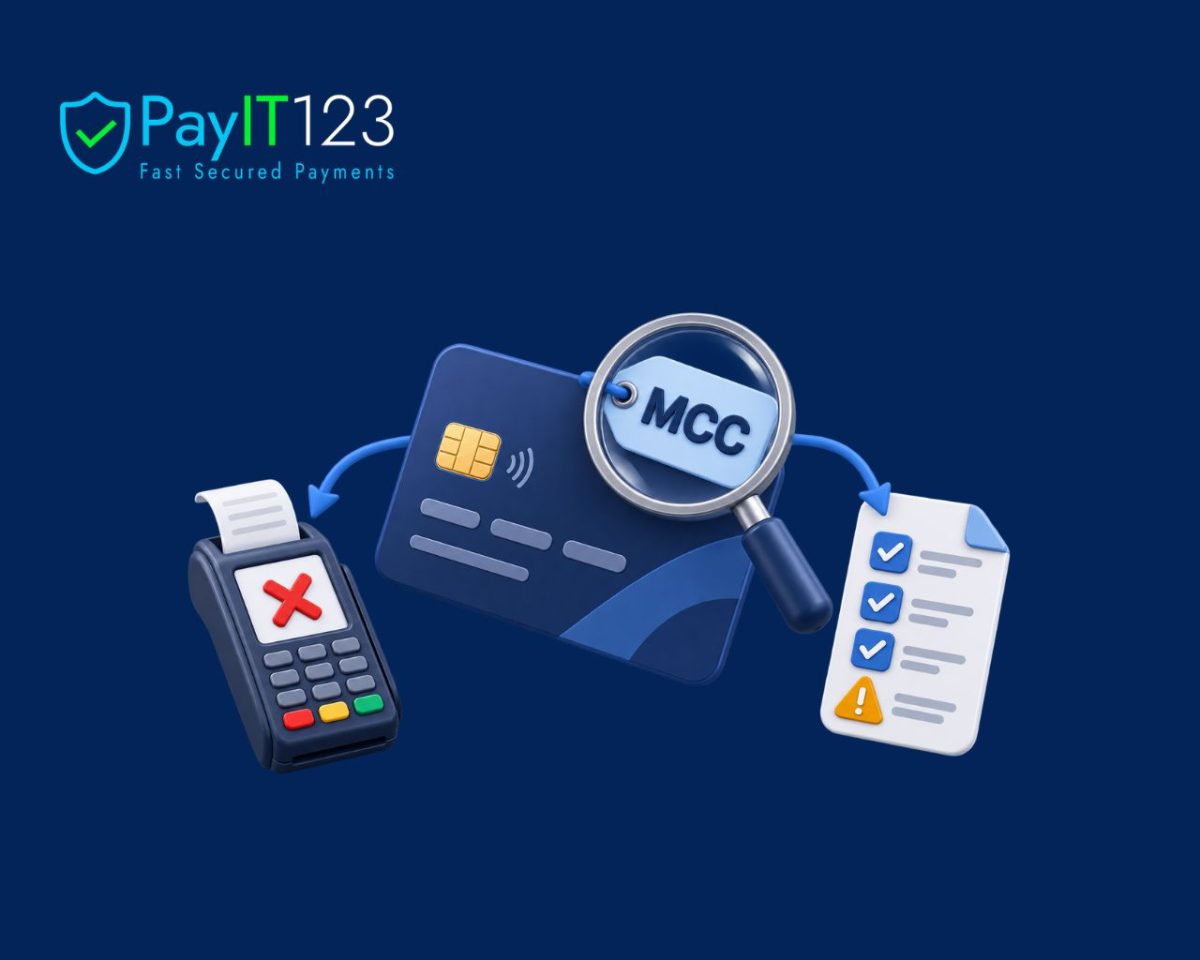
The explanation is not always visible at checkout. Behind every card transaction is a merchant category code, commonly known as an MCC, which identifies the main type of goods or services the merchant provides.

This short numerical code can influence how card networks, issuers and payment providers interpret a transaction. When the classification is inaccurate or no longer reflects the business, it may create payment problems that are difficult to diagnose.

Understand What an MCC Represents

An MCC is assigned when a merchant begins accepting card payments. It places the business within a recognised activity category, such as accommodation, professional services, digital goods or retail.

The code helps payment participants understand the commercial context of each transaction. It may affect risk assessment, cardholder rewards, regulatory treatment and the processing rules applied to particular business activities.

Merchants usually cannot choose whichever code appears most favourable. The classification should accurately reflect the business’s principal activity and the information supplied during onboarding.

Recognise How Businesses Outgrow Their Original Code

A company’s activities can change after its merchant account is established. A retailer may add subscriptions, a software provider may introduce financial services or a marketplace may begin processing payments for third-party sellers.

If the payment provider is not informed, the original MCC may remain in place even though it no longer describes the business accurately. Problems can also occur when a merchant operates several distinct business models through one payment account.

Understand the Connection to Declines

Card issuers and payment providers use several signals when deciding whether a transaction should proceed. An MCC that appears inconsistent with the customer’s behaviour, transaction description or risk profile may contribute to additional scrutiny.

Some cards also restrict purchases within particular categories. Corporate cards, prepaid products or cards issued to younger customers may block certain merchant activities automatically. A valid transaction can therefore be declined because of the category attached to the merchant rather than a lack of funds.

Expect Greater Scrutiny in Certain Sectors

Some activities are associated with higher chargeback levels, regulatory obligations or card-network restrictions. Merchants in these sectors may face more detailed onboarding, additional monitoring or different processing conditions.

A payment partner such as PayIT123 can help businesses explore payment-processing options suited to their industry and operating model. Merchants must still describe their activities fully and disclose meaningful changes as the business develops.

Trying to obtain a less restrictive classification by giving incomplete information can create serious consequences, including delayed settlements or termination of processing services.

Check Whether the Code Matches Reality

Businesses should review their MCC when entering a new market, launching a materially different product or changing how customers are charged. The code may be visible on processing statements, although the merchant may need to confirm it directly with the payment provider.

The review should compare the assigned category with the company’s website, contracts, marketing materials and actual transaction activity. Consistency across these sources helps prevent confusion during monitoring or compliance reviews.

Investigate Patterns Instead of Guessing

A high decline rate should be analysed by issuer country, card type, transaction value and payment channel. If declines are concentrated among particular cards or customers, the MCC may be one factor worth examining.

However, changing the code will not solve problems caused by fraud controls, technical errors or poor payment routing. Merchants should investigate the complete transaction data before reaching a conclusion.

Keep Payment Information Current

An MCC is easy to overlook because customers rarely see it, but it forms part of the information surrounding every card transaction. An inaccurate classification can create friction, attract unnecessary reviews and hide the true reason behind some declines.

By keeping payment providers informed and reviewing classifications as the business evolves, merchants can reduce avoidable disruption and ensure their payment setup continues to reflect what they actually do.

#MerchantCategoryCode #MCC #CardPayments #PaymentDeclines #MerchantServices #PaymentRisk #Fintech #PayIT123

How to Reconcile Cards, Instant SEPA and Alternative Payment Methods in One Payment Operation

Offering several payment methods can help a business serve more customers because people are more likely to complete a purchase when they can pay in a familiar and convenient way.

However, adding cards, Instant SEPA transfers, digital wallets, and other alternative payment methods also creates more information for finance teams to organise.

Although every channel supports the same overall goal, each one may use different references, transaction statuses, fee structures, and settlement schedules.

A unified reconciliation process helps businesses understand where every payment is and how much revenue has actually reached them.

Bring Payment Data Into One System

Reconciliation becomes difficult when employees have to download reports from several provider dashboards and compare them manually. Therefore, businesses should bring transaction data from every payment channel into one central system.

APIs and platform integrations can collect this information automatically, while a consistent internal reference, such as an invoice number or order ID, can connect each transaction to the correct customer record. This gives finance teams a clearer and more complete view of payment activity.

Standardise Transaction Statuses

Payment providers do not always use the same language. One system may describe a payment as completed, while another may call it captured or settled, even though these statuses can represent different stages of the transaction.

Businesses should therefore create a shared status structure covering initiation, authorisation, capture, settlement, reversal, refund, and dispute. Consequently, teams are less likely to record authorised payments as revenue before the funds have been successfully settled.

Record Fees and Net Settlement Amounts

The amount paid by a customer may differ from the amount received by the merchant because processing fees, currency-conversion charges, and provider commissions may be deducted before settlement.

Businesses can work with payment partners such as PayIT123 to connect card processing, Instant SEPA, and alternative payment methods within a more coordinated payment operation.

When these channels feed consistent transaction information into the business, finance teams can separate the original payment amount, applicable fees, and final net settlement more accurately.

Account for Different Settlement Times

Instant SEPA payments can reach the recipient within seconds, whereas card payments and some alternative methods may be settled later or combined into batches. Furthermore, weekends, bank holidays, and provider cut-off times can affect when funds become available.

A temporary mismatch should not always be treated as an error. Instead, businesses should define an expected settlement window for each payment method and investigate transactions only when they remain unmatched beyond the relevant timeframe.

Create a Process for Payment Exceptions

Automation can match a large proportion of transactions, although certain cases will still require human attention. These may include duplicate payments, partial settlements, refunds, chargebacks, missing references, and incorrect payment amounts.

Finance teams should know who is responsible for reviewing these exceptions and what information must be checked. When responsibilities are clearly assigned, unusual transactions can be resolved without delaying the entire reconciliation process.

A unified approach to reconciliation gives businesses greater control over their payment operations because every transaction can be followed from initiation to final settlement. It also reduces repetitive work and makes financial reports more reliable.

Although connecting several payment methods requires careful planning, the result can be faster reconciliation, better cash-flow visibility, and an operation that is ready to support continued business growth.

#PaymentReconciliation #CardPayments #InstantSEPA #AlternativePaymentMethods #PaymentOperations #PaymentAutomation #FinancialReporting #DigitalPayments #Fintech #PayIT123

How PSPs Can Accelerate Merchant Onboarding Without Compromising KYB and Risk Controls?

Welcoming new merchants should be an exciting part of growing a payment business because every approved application can create a valuable commercial relationship.

However, the onboarding process can easily become frustrating when applicants face lengthy forms, repeated document requests, or unclear approval timelines.

Although Payment Service Providers (PSPs) must complete thorough Know Your Business checks, strong compliance does not have to result in a slow customer experience.

With the right combination of automation, communication, and risk-based decision-making, PSPs can move legitimate merchants through onboarding more efficiently.

Make Information Collection Easier

A smooth onboarding process begins with a clear digital application. Merchants should be able to provide company information, ownership details, expected transaction volumes, and supporting documents through one secure system.

Furthermore, every request should explain exactly what information is required. When instructions are unclear, merchants may upload the wrong documents or leave important fields incomplete, which creates unnecessary delays for both the applicant and the compliance team.

Automate Routine Verification Tasks

Manually checking every company number, address, director, and document can take a considerable amount of time. Automation can accelerate these routine tasks by comparing submitted information with trusted business registries, sanctions databases, and verification sources.

Document-reading technology can also extract information from certificates and identification files. Consequently, compliance specialists can focus their attention on inconsistencies and complex cases instead of repeatedly entering basic application data.

Apply Checks According to Merchant Risk

Not every merchant presents the same level of risk, so every application should not be handled in exactly the same way. PSPs can assess factors such as the applicant’s industry, ownership structure, operating countries, transaction volume, and intended payment methods.

Businesses seeking a more connected onboarding and payment setup can work with providers such as PayIT123, which helps connect merchants and PSPs with suitable global payment infrastructure.

This kind of support can make it easier to build an onboarding journey that reflects both operational requirements and the merchant’s risk profile.

Keep Merchants Informed Throughout the Process

Even a thorough review feels more manageable when merchants understand what is happening. Applicants should be able to see whether their information has been received, which checks are underway, and whether additional documents are required.

Automated notifications can remind merchants about incomplete steps, while clear and specific requests can prevent lengthy email exchanges.

As a result, applicants are less likely to abandon the process, and onboarding teams spend less time answering avoidable status questions.

Continue Monitoring After Approval

Merchant risk does not disappear once an application has been approved. A company may change its ownership, enter new markets, introduce different products, or begin processing transactions that do not match its original profile.

Therefore, PSPs should combine initial KYB checks with ongoing transaction monitoring, sanctions screening, and periodic reviews. When unusual activity appears, the provider can investigate it promptly without creating unnecessary friction for every merchant.

Faster onboarding is not about removing important controls because it is about removing avoidable delays. When PSPs simplify applications, automate routine verification, and direct human attention toward genuine risks, they can protect their payment ecosystem while offering merchants a much better experience.

Although careful implementation is essential, the result can be quicker approvals, stronger compliance, and an onboarding process that remains reliable as the PSP continues to grow.

#MerchantOnboarding #KYB #PaymentServiceProviders #PaymentCompliance #RiskManagement #Fintech #MerchantServices #PaymentProcessing #DigitalPayments #PayIT123

Why Expired and Replaced Cards Cause Subscription Churn and How Merchants Can Recover the Revenue?

For subscription businesses, losing a customer who never intended to leave can be especially frustrating. The customer may still value the service and be willing to pay, but the next transaction fails because their card has expired, been replaced, or received new details.

One failed payment might seem minor. Across many accounts, however, these failures can reduce recurring revenue, create extra support work, and interrupt valuable customer relationships.

Fortunately, many are preventable. Account updater services, intelligent payment retries, clear communication, and flexible payment options can help merchants recover failed subscriptions and keep customers from leaving because of a card change.

What Is Involuntary Subscription Churn?

Subscription churn usually makes us think of customers actively cancelling a service. Involuntary churn is different. It happens when a subscription ends because the business cannot collect payment, even though the customer has not chosen to leave.

Common causes include:

  • An expired payment card
  • A card replaced after loss or theft
  • A newly issued card number
  • Insufficient funds
  • Temporary restrictions from the issuing bank
  • Incorrect or outdated billing information
  • A technical problem during payment processing

One failed payment may not seem serious. When it happens across hundreds or thousands of subscriptions, however, the lost revenue can become significant.

Why Repeated Payment Failures Matter

The immediate impact is a missed payment, but the wider cost can be much greater. Acquiring a new subscriber often requires spending money on advertising, promotions, onboarding, and customer support.

Losing that customer because of outdated card details means the business may waste the investment it made to win them.

Repeated failures can also create extra administrative work. Employees may need to contact customers, investigate transactions, update account records, and manage interrupted access to services.

The customer experience suffers too. Someone who suddenly loses access to a service may feel frustrated, particularly if they did not realise their card information was outdated.

Use Account Updater Services

An account updater service can help keep stored payment credentials current. Participating card networks and issuers provide updated card information to the payment provider when an eligible card expires or is replaced.

The merchant can then continue billing the customer without asking them to enter the new details manually.

Account updater services will not resolve every failed transaction, but they can reduce avoidable declines and protect recurring revenue. Merchants should ask their payment partner whether this feature is available and how it works across the markets they serve.

Build a Smarter Recovery Process

Updating card details is only one part of the solution. Merchants also need a clear process for recovering failed payments.

Smart payment retries can attempt the transaction again at a more suitable time. Retrying immediately several times may produce the same result and could trigger additional issuer restrictions. A planned schedule based on the decline reason is usually more effective.

Customer communication should also be simple and helpful. Send a clear notification explaining that the payment failed and provide a secure way to update the payment method. Avoid alarming language that makes a routine billing issue sound like a security emergency.

Businesses should also:

  • Review payment decline codes
  • Track recovery rates
  • Offer alternative payment methods
  • Send reminders before cards expire
  • Make billing details easy to update
  • Avoid cancelling access after a single failure

Protect Recurring Revenue Without Frustrating Customers

Not every failed subscription payment represents a lost customer. Often, it is a temporary problem that can be resolved through updated credentials, well-timed retries, and clear communication.

A strong recurring payment strategy helps merchants recover revenue while giving genuine customers a smooth opportunity to continue their subscriptions. PayIT123 helps businesses create a more reliable and manageable payment experience.

#SubscriptionPayments #InvoluntaryChurn #RecurringRevenue #FailedPayments #CardProcessing #PaymentRecovery #MerchantServices #DigitalPayments #PayIT123

Why Authorised Payments Still Fail to Become Revenue?

A customer completes checkout, their bank approves the payment and the order confirmation appears on screen. From the customer’s perspective, the sale is complete.

For the merchant, however, an approved payment is not always the same as money earned.

Card payments move through several stages before funds become available. Approval is an important step, but it is only the beginning.

If a payment is never captured, is later reversed or fails before settlement, a business may see an apparent sale without receiving the expected revenue.

What Payment Authorisation Actually Means

When a customer enters their card details, the payment provider asks the issuing bank whether the transaction can proceed. The bank checks factors such as available funds, card status and fraud controls. If the request is accepted, the bank places a temporary hold on the relevant amount.

This is known as authorisation. It confirms that the payment can move forward at that moment, but it does not transfer the money to the merchant.

The next stages are capture and settlement. Capture tells the payment system to collect the authorised funds. Settlement is when the payment is processed through the card network and the money reaches the merchant’s account, less any applicable fees.

Why an Approved Payment May Not Settle

There are several reasons why the process can stop after authorisation. A merchant may need to capture the payment manually and fail to do so before the authorisation expires. This can happen when stock checks, bookings or fulfilment reviews take longer than expected.

Technical issues can also interrupt the process. An e-commerce platform may confirm the order, but the instruction to capture payment may not reach the gateway correctly. Duplicate payment requests, incorrect configurations or system outages can create further complications.

In some cases, the merchant chooses to reverse an authorisation. This may happen when an item is unavailable, an order appears suspicious or the customer cancels before fulfillment. The hold should then be released, although the timing depends on the card issuer and payment method.

The Customer Can Be Confused Too

Customers may see a pending amount on their bank statement even when the merchant has not received the funds. If an order is cancelled or the authorisation expires, the customer may assume they have been charged twice or that their money has disappeared.

Clear communication is essential. When a payment is still pending, businesses should explain what that means and avoid describing the transaction as fully completed until it has been captured successfully.

A confusing payment experience can affect trust, even when the issue is resolved quickly. Customers remember whether a business made the situation easy to understand.

Capture Timing Matters

Different businesses need different capture processes. A retailer selling ready-to-ship items may capture payment immediately. A hotel, travel provider or business accepting pre-orders may need to authorise first and capture later.

The important point is that the payment process should match the way the business operates. Teams need to know who is responsible for reviewing authorised payments, how long they can remain pending and when a transaction should be captured, cancelled or investigated.

Regular checks can prevent approved payments from being forgotten in the gap between checkout and fulfilment.

Revenue Needs More Than Approval

Payment reporting should distinguish between authorised, captured, settled, reversed and refunded transactions. Treating every approval as confirmed revenue can create inaccurate forecasts and difficult reconciliation work later.

A reliable payment partner helps businesses gain clearer visibility across every stage of the transaction. PayIT123 supports merchants with payment-processing solutions designed to make transactions more secure, efficient and manageable.

An approved payment is good news, but it is not the finish line. When businesses understand the journey from authorisation to settlement, they can protect their revenue, communicate more clearly with customers and ensure completed orders lead to completed payments.

#PaymentProcessing #CardPayments #PaymentAuthorisation #MerchantServices #RevenueProtection #EcommercePayments #PayIT123